phpwebadmin 时出现N个错误,求解,谢谢

hMailServer的综合讨论。包括安装、使用、webmail等问题。

版主: jimmy, Hsia

版面规则
回复
ywknife
Level 2
Level 2
帖子: 10
注册: 2015年3月3日, 14:53

phpwebadmin 时出现N个错误,求解,谢谢

帖子 ywknife »

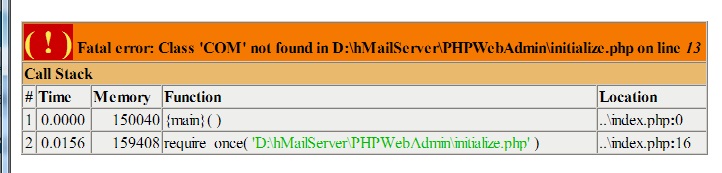
( ! ) Fatal error: Class 'COM' not found in D:\hMailServer\PHPWebAdmin\initialize.php on line 13
Call Stack
# Time Memory Function Location
1 0.0000 150040 {main}( ) ..\index.php:0
2 0.0156 159408 require_once( 'D:\hMailServer\PHPWebAdmin\initialize.php' ) ..\index.php:16
无标题.jpg
无标题.jpg (47.72 KiB) 查看 9995 次
上次由 ywknife 在 2015年3月9日, 10:50,总共编辑 2 次。
ywknife
Level 2
Level 2
帖子: 10
注册: 2015年3月3日, 14:53

Re: phpwebadmin 时出现这个错误,求解,谢谢

帖子 ywknife »

I am trying to set up hMailServer in "Windows Server 2008 Enterprise Edition Service Pack 1".I've setup hMailServer,Apache,PHP and webmail Interface "AfterLogic webMail" successfully.And all work well.But I am stuck in a problem while I tried to install "PHPWebAdmin"。 Error message as follows :
Fatal error: Class 'COM' not found in E:\Server\wwwroot\PHPWebAdmin\initialize.php on line 13


This infomation occurs while visiting "http://192.168.2.66:8088/PHPWebadmin/".

I've configured PHP configuration file php.ini options as follows:
[PHP]
register_globals = Off
display_errors = Off

doc_root = "E:/Server/wwwroot"
extension_dir = "E:/Server/php5_4_5/ext"

[Session]
session.save_path = "E:/Server/php5_4_5/tmp"

[COM]
com.allow_dcom = true


I've also finished these things as hMailServer manual suggests:
DCOM permissions
Overview
By default, IIS6 is not allowed to connect to hMailServer because of the Distributed COM permissions that Windows uses. Also, Apache run as a user account with restricted permissions is not allowed to connect by default.

Steps
Follow these steps to give IIS or Apache the required permissions to connect to hMailServer using DCOM.

1.Start DCOM config by selecting Start, Run, enter dcomcnfg.exe and press OK.
2.In the Component Services program, expand the Component Services folder
3.Expand down to Computers | My Computer | DCOM Config
4.Right-click on hMailServer and select properties
5.Select the Security tab
6.Under "Launch and Activation Permissions", select Customize and click on Edit
7.Under "Group or user names", click Add
8.For IIS6: add the built-in anonymous IIS user account
9.For Apache: add the Apache user account
10.Set the Local Launch and Local Activation permissions for this user to Allow


Actually,I even tried to give permission to EveryOne in the DCOM configuration.

Installing PHPWebAdmin is to give users a place to change their email password.

Enviroment here:Windows Server 2008,Apache2.2,PHP5.4.5.

Why this problem happen? And How to handle it?

Thanks a lot!

ywknife
Level 2
Level 2
帖子: 10
注册: 2015年3月3日, 14:53

Re: phpwebadmin 时出现这个错误,求解,谢谢

帖子 ywknife »

pPHP:Fatal error: Class 'COM' not found in … 的处理办法
1、首先在windows的“服务”里面检查COM+服务是否已经启动。如果未启动,请启动它。
大概是该服务:Windows Management Instrumentation


2、检查php目录ext文件夹下面php_com_dotnet.dll是否存在。(顺便说一下,ext通常作为php程序的扩展目录,在安装php的时候一般已经设置好。否则就应该不仅仅报主题所说的错咯。)


3、如果没问题,在php.ini里面加入以下语句:


[PHP_COM_DOTNET]
extension=php_com_dotnet.dll


4、php.ini中设置
com.allow_dcom = true


5.PHP版本
PHP 5.4.5以前的版本,只需要在php.ini中把com.allow_dcom = true打开就可以了,但是5.4.5版本以后,PHP把com/dotnet 模块集成到了一个单独的扩展中,所以需要在php.ini中加一行扩展extension=php_com_dotnet.dll,是加一行,不是打开,默认配置文件中没有这一行的,然后重启IIS或Apache,再次运行就正常了!
头像
Hsia
网站管理员
网站管理员
帖子: 335
注册: 2014年11月26日, 12:41
地址: 上海
联系:

Re: phpwebadmin 时出现这个错误,求解,谢谢

帖子 Hsia »

ywknife
Level 2
Level 2
帖子: 10
注册: 2015年3月3日, 14:53

Re: phpwebadmin 时出现这个错误,求解,谢谢

帖子 ywknife »

PHP.INI中
更改为com.allow_dcom = true
加入一行
extension=php_com_dotnet.dll


出现这个错误:
Source: hMailServer COM library
Description: Can't connect to MySQL server on '127.0.0.1' (10061) 之前不会有这个提示的

估计是HMAILSERVER没有连上MYSQL的数据库,果然:
点击
hMailServer Administrator 出现

The connection to the database is not available.
Can't connect to MySQL server on '127.0.0.1' (10061)

请问该如何处理这个新出来的问题
上次由 ywknife 在 2015年3月9日, 10:40,总共编辑 1 次。
ywknife
Level 2
Level 2
帖子: 10
注册: 2015年3月3日, 14:53

Re: phpwebadmin 时出现这个错误,求解,谢谢

帖子 ywknife »

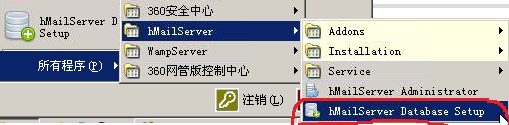
接上面用安装程序中的 hMailServer Database Setup 重新设置原数据库后,又能连接了,数据库不用127.0.0.1 用localhost
2.jpg
2.jpg (30.86 KiB) 查看 9995 次
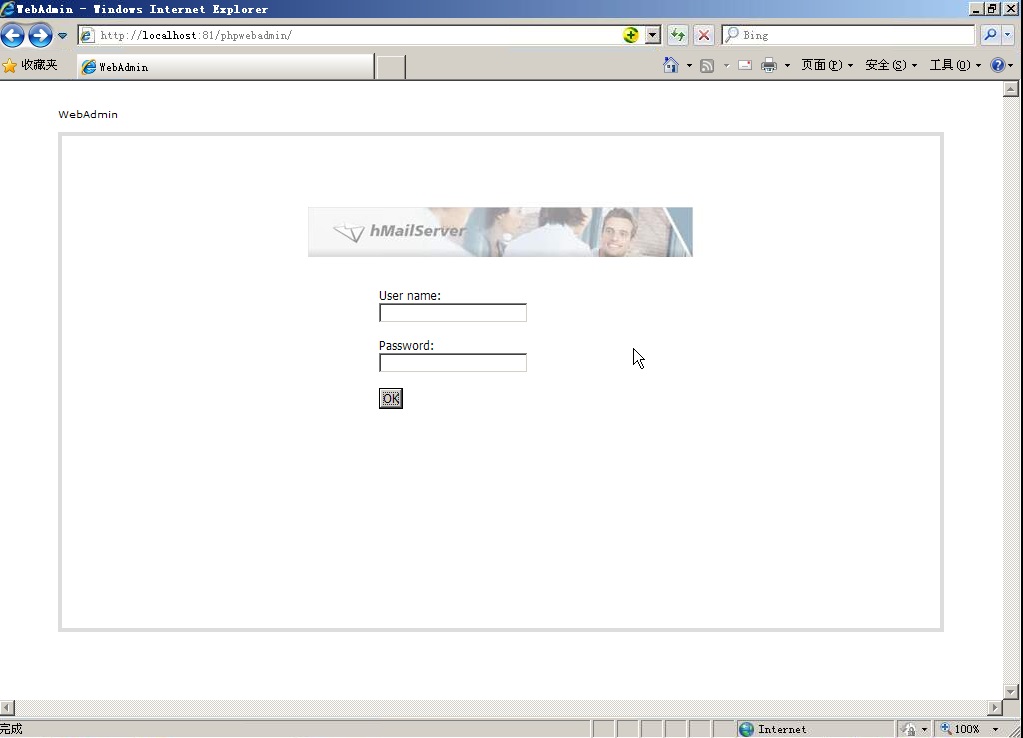
新问题又来了
1.jpg
1.jpg (87.24 KiB) 查看 9995 次
这个界面中的username 是什么? password是什么?

username是administrator 密码是安装hmailserver时设置的密码
上次由 ywknife 在 2015年3月9日, 10:40,总共编辑 1 次。
ywknife
Level 2
Level 2
帖子: 10
注册: 2015年3月3日, 14:53

Re: phpwebadmin 时出现这个错误,求解,谢谢

帖子 ywknife »

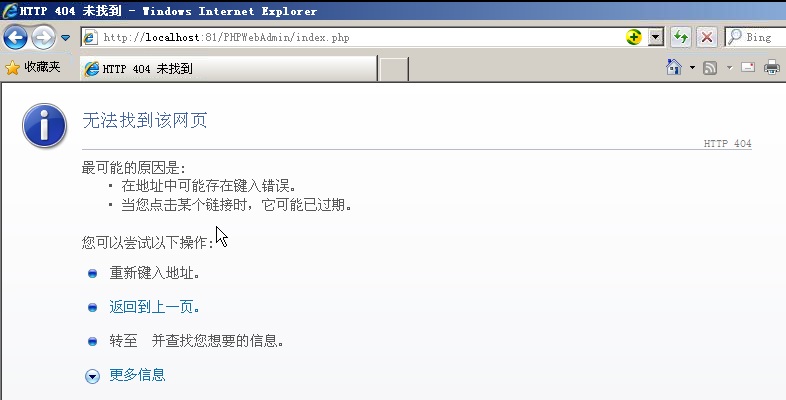
问题又来了
4.jpg
4.jpg (57.8 KiB) 查看 9989 次
有没有人知道如何解决啊,谢谢
ywknife
Level 2
Level 2
帖子: 10
注册: 2015年3月3日, 14:53

Re: phpwebadmin 时出现这个错误,求解,谢谢

帖子 ywknife »

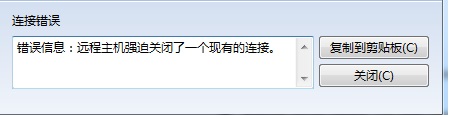
FOXMAIL不能发信,
1231232.jpg
1231232.jpg (16.44 KiB) 查看 9985 次
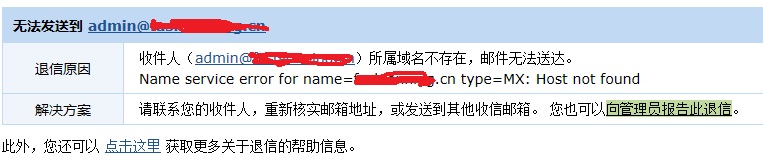
不能收信(从QQ邮箱往自己邮件服务器的邮箱发信)
2222.jpg
2222.jpg (54.49 KiB) 查看 9988 次
求解
回复